On May 25th, Movable Type 5.1 was released. So I upgraded my MT, and I used this opportunity to some updates, too.
- How to update httpd-2.2.17-win32-x86-ssl.zip
————> httpd-2.2.19-win32-x86-ssl.zip - Unzip httpd-2.2.19-win32-x86-ssl.zip
- Stop apache httpd
- Copy all the files over, except my .conf files
- Start apache httpd
- How to update mysql-5.5.10-win32.msi
————> mysql-5.5.12-win32.msi - Just double click the msi file
- How to update phpMyAdmin-3.3.10-english.zip
————> phpMyAdmin-3.4.1-english.zip - Unzip phpMyAdmin-3.4.1-english.zip
- Copy all the files over, except my config.inc.php
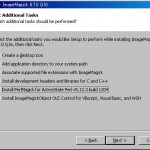
- How to update ImageMagick-6.6.7-10-Q16-windows-dll.exe
————> ImageMagick-6.7.0-0-Q16-windows-dll.exe - Uninstall ImageMagick-6.6.7-4-Q16-windows-dll.exe
- Install ImageMagick-6.7.0-0-Q16-windows-dll.exe
- Reboot Windows <——————– This is very important.
- How to update curl-7.21.4-devel-mingw32.zip
————> curl-7.21.6-devel-mingw32.zip - Unzip curl-7.21.6-devel-mingw32.zip
- Overwrite
curl.exe andlibeay32.dll of C:PHP - How to update MTOS-5.04-en.zip
————> MTOS-5.1-en.zip - Change the folder name ‘MTOS-5.04-en’ to ‘MT’
- Rewrite the first line of all cgi files from ‘#!/usr/bin/perl -w’ to ‘#!C:/perl/bin/perl -w’
- Copy my mt-config.cgi into the new ‘MT’
- Copy my old ‘mt-staticsupport’ over new ‘mt-staticsupport’
- Copy my old ‘mt-staticthemesmine’ into new ‘mt-staticthemes’
- Replace old ‘MT’ and ‘mt-static’ to new ones
- Access http://mydomain/cgi-bin/MT/mt.cgi and upgrade
- Delete mt-config.cgi-original, mt-upgrade.cgi, mt-check.cgi and mt-wizard.cgi for security
Probably, I needn’t ‘Stop apache’. But I swear I need ‘Restart’. 😛

Edit:
I forgot to write about “Entry Summary” in Template Modules.
I removed next six lines from “Entry Summary”.
<mt:If tag=”EntryMore” convert_breaks=”0″>
<div class=”asset-more-link”>
Continue reading <a href=”<$mt:EntryPermalink$>
#more” rel=”bookmark”><$mt:EntryTitle$></a>.
</div>
</mt:If>
Edit2(May 27): I forgot to take care of “MT-Akismet”. So I’ve done it.